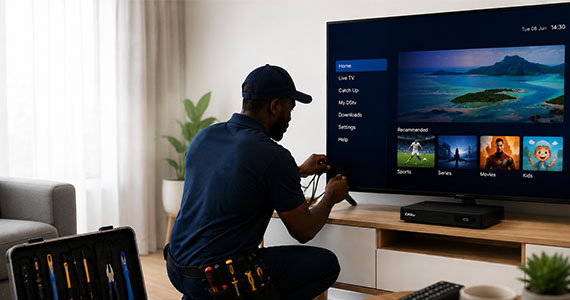
How to Fix Satellite TV Signal Problems During Heavy Storms (And How to Protect Your Decoder)
Heavy thunderstorms are common across Johannesburg, Pretoria, and many parts of South Africa, especially during the summer months. While rain is good for the environment, it can sometimes disrupt satellite TV signals and even affect electronic equipment if proper protection is not in place.
If your Satellite TV signal disappears during a storm or your decoder stops responding after a power outage, don’t panic. In this guide, we’ll explain why this happens, what you can safely do at home, and how to protect your equipment from future weather-related issues.
Example : A homeowner in the East Rand installs a surge protector for both the TV and decoder. During a severe storm, the electricity fluctuates several times, but the equipment remains protected and continues working normally once the power stabilizes.
Important Disclaimer : Satellite TV Masters is an independent third-party installation and technical support provider. We are not affiliated with, authorized by, or endorsed by MultiChoice or Satellite TV.
Why Does Satellite TV Lose Signal During Heavy Rain?
What does it mean ?
This issue is commonly known as rain fade. Satellite TV signals travel from satellites in space to the dish installed at your property. During heavy rain, thunderstorms, or dense cloud cover, water droplets in the atmosphere can physically block or weaken the signal before it reaches your dish.
Common symptoms of rain fade :
- Error messages such as E48-32 : No Signal
- Pixelated or frozen channels
- Sound cutting in and out
- Complete loss of picture during heavy rain
- Signal returning automatically once the storm passes
Example : Imagine you live in Pretoria East and a severe thunderstorm begins in the evening. Your channels suddenly disappear, and the decoder displays “No Signal.” In many cases, this is temporary, and the signal will return after the rain intensity decreases.
What Should You Do If You Lose Signal During a Storm?
Step 1: Stay Safe Avoid climbing onto the roof or touching the satellite dish during bad weather. Wet roofs and lightning pose serious safety risks.
Step 2: Check the Weather If there is heavy rain, strong winds, or lightning in your area, wait until the storm passes completely before troubleshooting.
Step 3: Inspect Indoor Connections After the storm has passed :
- Ensure the decoder power cable is securely connected.
- Check that the HDMI cable is firmly plugged into both the decoder and the TV.
- Verify that there are no loose antenna or satellite cables at the back of the decoder.
Step 4: Reboot Your Decoder Safely
If your decoder is unresponsive after a power outage or load shedding :
- Switch off the decoder using the power button.
- Unplug it from the wall socket entirely.
- Wait for 1–2 minutes.
- Plug it back in and turn the decoder on.
- Allow it to restart completely.
This simple reboot often resolves temporary software or power-related glitches.
How to Protect Your Decoder from Power Surges
Thunderstorms and the sudden power restoration after load shedding can cause dangerous voltage spikes that may damage electronic devices.
Use a Quality Surge Protector :
A surge protector acts as a shield between your wall socket and your electronics. It helps protect :
- Decoders
- Smart TVs
- Wi-Fi Routers
- Sound systems
- CCTV systems
Example : A homeowner in the East Rand installs a surge protector for both the TV and decoder. During a severe storm, the electricity fluctuates several times, but the equipment remains protected and continues working normally once the power stabilizes.
Tips to Prevent Future Signal Problems
Staying proactive can help keep your entertainment running smoothly :
- Have your satellite dish bracket inspected periodically to ensure it is tightly secured.
- Use a surge protector for your decoder and TV.
- Ensure outdoor cable connections are properly waterproofed.
- Trim tree branches that may be swaying and blocking the dish’s line of sight.
- Never attempt DIY roof repairs during or immediately after storms.
When Should You Call an Independent Technician?
If your signal does not return after the weather improves, you likely have a physical hardware issue that a simple reboot cannot fix. This includes :
- Dish misalignment caused by strong winds.
- A blown or water-damaged LNB (the arm on the front of the dish).
- Loose, worn, or water-logged exterior cables.
Need Help Getting Your Signal Back?
Heavy storms are a reality in South Africa, but you shouldn’t have to stay stuck without a signal. If the storm has passed and your screen still says “No Signal,” the independent experts at Satellite TV Masters are ready to help. Call us today at +27810890541 or contact us to book your installation appointment!